
The Modern Linux RDP Client
A lightning-fast, secure, and lightweight Remote Desktop Protocol client built with Rust and Slint. Designed for seamless performance and modern Linux workflows.

Key Features
Engineered for speed, efficiency, and compatibility.
Powered by Rust
Vessel RDP is built from the ground up in Rust, inheriting modern memory safety, blazing-fast execution times, and low resource overhead.
Slint UI Toolkit
Leverages Slint, a state-of-the-art UI framework, to deliver a clean, hardware-accelerated, responsive dashboard that launches instantly.
Sandboxed Drive Sharing
Mount local Linux directories to remote Windows sessions with pure-Rust path containment, symlink escape protection, and enterprise policy control.
Zero-Lag Hardware Cursor
Enjoy instant local pointer tracking decoupled from server rendering frames, with dynamic shape synchronization for text beams and resizing bars.
Universal Portability
Packed exclusively as a single AppImage. Zero complex dependency issues. Simply download, make executable, and run on any Linux distro.
Secure Core
Implements robust RDP protocols, TLS encryption, and secure Network Level Authentication (NLA) to keep your remote sessions protected.
How to Run Vessel RDP
Get up and running in seconds. No installation required.
Method 1: Graphical Interface
- 1Download the latest AppImage binary.
- 2Right-click the downloaded file and select Properties.
- 3Go to the Permissions tab and check the box that says "Allow executing file as program".
- 4Double-click the AppImage to launch the client instantly.
Method 2: Command Line
For terminal power-users, execute these two quick commands:
Running the AppImage (System Requirements & Troubleshooting)
The prebuilt AppImage bundles FreeRDP (with AAD), its channel addins, the OpenSSL legacy provider, and audio support — but it still needs a few libraries from the host, because they are part of the desktop/graphics stack and can't be bundled portably:
- GTK 3 + WebKitGTK 4.1 — the binary links these directly (it won't start without them), and the Azure AD login window runs against the host's WebKitGTK (a bundled WebKit can't launch its helper processes inside an AppImage).
- FUSE 2 — required to mount the AppImage. Without it, run with
./VesselRDP-x86_64.appimage --appimage-extract-and-run.
If your distribution does not have FUSE 2 installed, you can extract and run the application directly from the terminal without mounting:
Install the runtime libraries for your distro:
| Distro | Command |
|---|---|
| Fedora / RHEL | sudo dnf install gtk3 webkit2gtk4.1 fuse |
| Ubuntu / Debian | sudo apt install libgtk-3-0 libwebkit2gtk-4.1-0 libfuse2 |
| Arch Linux | sudo pacman -S gtk3 webkit2gtk-4.1 fuse2 |
| Gentoo | sudo emerge x11-libs/gtk+:3 net-libs/webkit-gtk:4.1 sys-fs/fuse:0 |
Then make it executable and run it:
Note: Most desktop installs already have GTK 3 and FUSE; WebKitGTK 4.1 is the one that is often missing and is only needed for Azure AD / Entra logins. Non-AAD (NLA/TLS) connections work without it as long as the app launches.
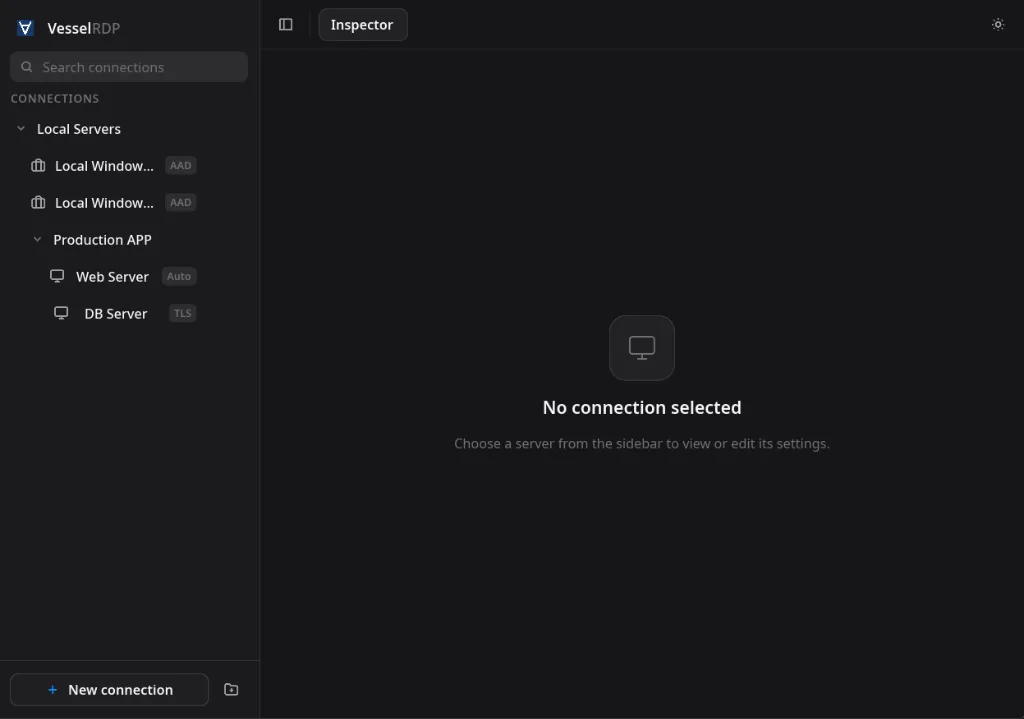
Interface Gallery
Peek inside the Vessel RDP client's clean user interface.
Support the Project
Vessel RDP is free software. Supporting development helps pay for hardware, testing infrastructure, and keeps the project going.